

Running a small business means juggling multiple responsibilities, and getting paid on time is crucial for maintaining healthy cash flow. Professional invoices not only help ensure timely payments but also reflect your brand’s credibility and attention to detail. A well-structured invoice makes it easier for clients to understand charges, reduces errors, and simplifies accounting.
In this article, we will guide you step by step on how to create professional invoices that impress clients and streamline your business payments.
Key Takeaways
- Professional invoices ensure timely payments.
- Include all business and client details.
- Itemize products or services clearly.
- Set payment terms and accepted methods.
- Use the right invoicing tools.
- Send promptly, follow up, and keep records.
What Is an Invoice

An invoice is a document that businesses use to request payment from clients for products or services provided. It acts as both a record of the transaction and a formal payment request. Unlike a receipt, which confirms payment, an invoice specifies the amount owed and the payment terms.
Professional invoices not only help you get paid on time but also demonstrate your business’s credibility and reliability. They clearly communicate the services or products delivered, the due date, and the payment methods accepted.
How to Create Professional Invoices

Creating professional invoices is a crucial skill for any small business owner. Well-crafted invoices not only ensure you get paid on time but also communicate professionalism, build trust with your clients, and simplify your accounting processes.
Step 1 – Gather All Necessary Information
Before you start creating an invoice, it’s essential to gather every detail you’ll need to make it complete and professional. Include your business name, logo, address, email, and phone number so clients can easily contact you.
Add the client’s name, company, and full contact information. Each invoice should have a unique invoice number, the issue date, and a clearly defined due date. Include payment terms specifying acceptable methods such as bank transfers, credit cards, or digital wallets.
Step 2 – Choose the Right Invoice Format
Choosing the right invoice format depends on your business size, client base, and workflow. Manual methods using Word or Excel are suitable for businesses with fewer clients and simple billing needs. Online templates help you create professional invoices quickly, with clear sections and a polished design.
Invoicing software automates numbering, calculations, and tracking, saving time and reducing errors. Apps for sending professional invoices can also streamline recurring billing, automate reminders, and make online payment easier for clients.
Step 3 – Design Your Invoice
A professional invoice should be visually appealing, easy to read, and consistent with your brand. Include a bold header labeled “Invoice” so clients immediately recognize the document. Organize it into sections such as your business information, client details, itemized products or services, totals, and payment instructions.
Incorporate your logo, brand colors, and fonts to maintain consistency with other client-facing materials. Optional elements like QR codes or clickable payment links can make it easier for clients to pay quickly.
Step 4 – Itemize Services or Products
Each service or product should be clearly detailed on your invoice. Include the name, description, quantity, unit price, and applicable taxes for every item. Calculate the subtotal and total amount due, and include any additional charges such as shipping or handling as separate line items.
Sample professional invoices show that an itemized breakdown prevents confusion, minimizes disputes, and builds trust with clients. When clients see exactly what they are paying for, it not only improves payment accuracy but also helps maintain proper accounting records and simplifies future reporting.
Step 5 – Specify Payment Terms and Methods
Clearly stating payment terms is critical to ensure timely payment. Specify the due date, late fees, and any early payment discounts. Include all accepted payment methods such as credit card, bank transfer, or digital wallets.
Explaining payment options improves client convenience and reduces delays. Best practices for creating professional invoices include providing unambiguous instructions, offering multiple methods, and sending reminders for overdue invoices.
Step 6 – Review Your Invoice
Before sending your invoice, carefully review every detail to avoid errors. Check calculations, dates, client information, and formatting to ensure everything is accurate. Confirm that the invoice is easy to read, professional in appearance, and free from mistakes.
Creating professional invoices with careful review builds client trust and demonstrates attention to detail. Errors on invoices can lead to payment delays, disputes, or misunderstandings, so a thorough review ensures a smooth process and reflects positively on your business’s professionalism.
Step 7 – Send Your Invoice Promptly
Send invoices immediately after completing a service or delivering a product. Prompt delivery keeps your business top of mind and encourages faster payments. Whenever possible, use online methods, as they are faster, trackable, and convenient for clients.
Knowing how to send professional invoices online helps maintain control over the payment process and demonstrates professionalism. Sending invoices promptly also reduces the risk of delayed or forgotten payments and helps you maintain healthy cash flow for your business operations.
Step 8 – Follow Up and Track Payments
Once an invoice is sent, actively monitor its status to ensure timely payment. Check which invoices have been paid, viewed, or are overdue. Send friendly reminders for late payments and promptly respond to any client inquiries.
Using invoicing apps for small businesses can automate reminders and recurring invoices, making follow-up simple and consistent.
Step 9 – Keep Records for Accounting and Compliance
Maintain organized records of all invoices for accounting, tax preparation, and future reference. Digital storage and accounting software simplify bookkeeping, audits, and compliance. Accurate records allow you to track payment trends, client behavior, and financial performance.
Consistently creating professional invoices ensures your records are complete, reliable, and easy to reference when needed.
Top Platforms to Create Invoices
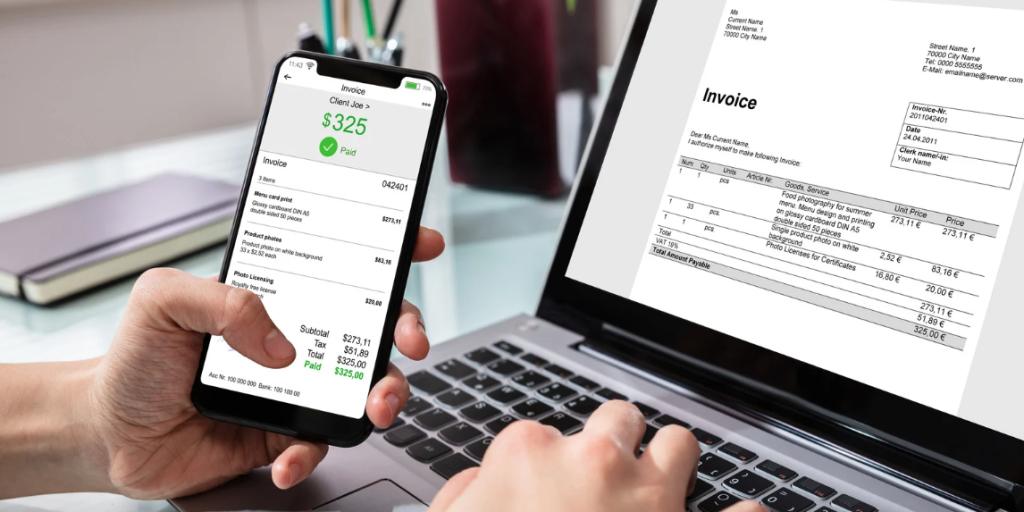
Finding the right invoicing platform can save time, prevent errors, and help small businesses create professional invoices quickly, track payments efficiently, and maintain organized financial records with minimal effort.
Create Invoices AI
Create Invoices AI is an online solution that simplifies the entire invoicing process. It allows small business owners to generate professional invoices quickly, customize branding, and send them directly to clients. The platform also tracks payment status, making follow-ups easier and helping you manage cash flow efficiently.
QuickBooks Online
QuickBooks Online offers powerful automation for invoicing and accounting. Users can choose from professional invoice templates, set recurring invoices, and track payments in real time. The platform also generates financial reports, helping business owners stay on top of their finances and monitor overdue invoices effectively.
Xero
Xero is a cloud-based accounting tool with seamless invoicing features. It integrates with other business systems, sends automatic payment reminders, and allows clients to pay online. Xero’s dashboard makes it easy to monitor outstanding invoices, track cash flow, and maintain organized financial records for small businesses.
Wave
Wave provides free invoicing software with professional design options. Users can customize invoices with logos, brand colors, and personalized messages. The platform is ideal for small businesses and freelancers who need a simple yet effective solution to create, send, and track invoices without paying for expensive software.
Microsoft Word/Excel Templates
For businesses with fewer invoices or straightforward billing, Word and Excel templates offer a simple solution. Templates can be customized with your branding and client details. While they lack automation, these tools are cost-effective and easy to use, making them suitable for startups or businesses with occasional invoicing needs.
Mistakes to Avoid while creating the invoice

Avoiding these common mistakes ensures faster payments, fewer disputes, and a more professional image for your business.
- Leaving out client or business information.
- Omitting the invoice number, due date, or total amount.
- Sending invoices late or inconsistently.
- Using confusing or cluttered designs.
- Not following up on overdue payments.
Conclusion
Creating professional invoices is a critical step for small business owners to secure timely payments and maintain financial stability.
By following a structured process, gathering information, choosing the right format, designing clearly, itemizing services, specifying payment terms, reviewing, sending promptly, tracking payments, and keeping records, you can streamline billing and strengthen client relationships.
Use invoicing tools and templates to save time, maintain consistency, and improve cash flow. Start applying these steps today to make your invoicing process efficient, professional, and reliable.
FAQs
Use an online template or invoicing software with your business and client details ready.
Yes, but make sure they are clearly stated in the invoice and agreed upon in contracts.
Use apps or online platforms like QuickBooks, Hiveage, or Wamo to email or share invoices securely.
Yes, they provide a clear format and ensure all essential details are included.
Yes, platforms like Wave and online templates allow you to create professional invoices without cost.