

Creating invoices manually can take a lot of time and often leads to mistakes. Artificial intelligence, or AI, can make this process much faster and more accurate. AI can read order details, fill in customer and product information, calculate totals, and even send invoices automatically.
This helps businesses save time and avoid errors.
In this beginner guide, we will explain how AI generates invoices in seconds and show how anyone can start using AI tools to make billing easier, faster, and more reliable.
What is AI-Powered Invoicing?
AI-powered invoicing is a way to create invoices automatically using artificial intelligence. Unlike traditional invoicing, where you enter all the details manually, AI can read orders, extract customer and product information, calculate totals, and generate an invoice in seconds.
It can also detect errors or missing information, helping reduce mistakes. This technology is useful for businesses of all sizes, from freelancers to large companies.
By using AI, invoicing becomes faster, more accurate, and less stressful, allowing business owners to focus on other important tasks.
How AI Generates Invoices in Seconds?

AI can automate the invoicing process, turning a task that once took hours into something that happens in just a few seconds. Here is how it works step by step:
1. Collecting Data Automatically
The first step is gathering all the necessary information. AI can pull data from multiple sources, such as online orders, emails, receipts, or accounting software.
It identifies important details like customer names, addresses, product or service descriptions, prices, and dates. This eliminates the need to manually copy information, which can be time-consuming and prone to errors.
2. Extracting and Organizing Information
After collecting the data, AI organizes it to fit the invoice format. It makes sure each piece of information goes in the correct place, such as product names under the description column and prices in the right section.
This structured approach ensures invoices are accurate, consistent, and professional-looking every time.
3. Filling in Invoice Templates
Next, AI selects a suitable invoice template and automatically fills in all the details. Some AI tools can even customize the layout, add your company logo, or adjust colors and fonts to match your branding.
4. Calculating Totals and Taxes
AI can quickly calculate the subtotal, apply taxes, include discounts, and determine the final total. It automatically checks for errors, so you don’t have to worry about mistakes in calculations. This is especially helpful for businesses handling multiple products or services, where manual calculations can easily go wrong.
5. Sending or Storing the Invoice
Finally, AI can send the completed invoice directly to the customer via email or save it in your accounting system for record-keeping.
Many tools also include features like payment reminders, tracking unpaid invoices, or generating reports, helping you manage cash flow more efficiently without manual follow-ups.
Key Benefits of Using AI for Generating Invoices:
Using AI to create invoices offers several advantages for businesses of all sizes. Here are the main benefits:
1. Saves Time
AI can generate invoices in seconds, eliminating the need for manual data entry. This allows business owners and employees to focus on more important tasks, such as serving customers or growing the business, instead of spending hours on paperwork.
2. Reduces Errors
Manual invoicing often leads to mistakes, such as wrong amounts, missing information, or calculation errors. AI automatically checks and fills in data accurately, reducing the risk of errors and ensuring invoices are always correct.
3. Improves Cash Flow
Faster and more accurate invoicing helps businesses get paid quickly. AI can send invoices immediately, track unpaid bills, and even send reminders, helping maintain a steady cash flow.
4. Enhances Professionalism
AI-generated invoices look clean and consistent, with proper formatting, logos, and branding. This makes your business appear more professional and reliable to customers.
5. Easy Integration with Other Systems
Many AI invoicing tools connect directly with accounting software, payment platforms, and CRM systems. This allows businesses to manage finances, track sales, and monitor customer interactions seamlessly in one place.
How to Create Invoices in Seconds?
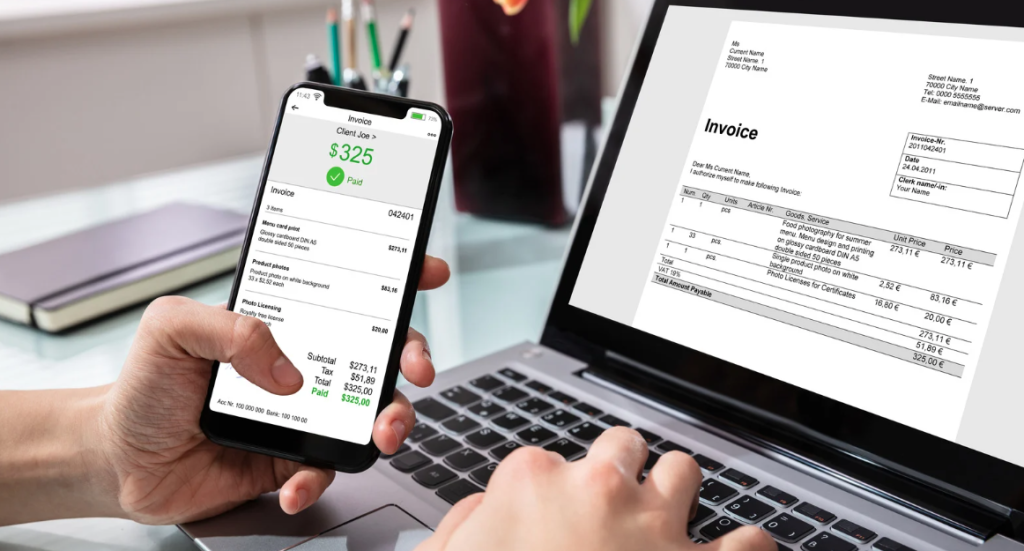
Creating invoices has never been easier thanks to Createinvoices. This free and easy-to-use platform allows anyone, even beginners, to generate invoices automatically in just a few seconds.
All you need to do is enter basic information such as customer details, products or services, prices, and any taxes or discounts. Createinvoices then fills in the invoice, calculates totals, and formats it professionally.
You can download, print, or send it directly to your customer without any hassle. By removing manual steps, it saves time, reduces errors, and makes billing simple for everyone.
Final Thoughts:
AI has made invoicing faster, easier, and more accurate than ever before. By automating data entry, calculations, and formatting, AI saves businesses valuable time and reduces the risk of errors.
AI-generated invoices also improve professionalism and help maintain steady cash flow by ensuring bills are sent promptly. For businesses of all sizes, adopting AI-powered invoicing simplifies the billing process, reduces stress, and allows teams to focus on more important tasks.
FAQs:
AI can create invoices in just a few seconds, depending on the amount of data. It is much faster than manual invoicing.
AI is very accurate but can make errors if the input data is wrong. It is always good to double-check important details.
No, most AI invoicing tools are designed for beginners. You just need to enter the basic information, and the AI does the rest.
Yes, AI can calculate taxes, apply discounts, and total everything correctly. This reduces calculation mistakes and saves time.
Yes, AI can calculate taxes, apply discounts, and total everything correctly. This reduces calculation mistakes and saves time.